Find your collection
Discover page images, picture sources, backgrounds and video posters with one toolbar click.
 Image Harvest
Collect images from a webpage, choose your favorites, and save them as originals, PNG, JPEG or WebP. A calmer way to get the job done.
Submitted to the Chrome Web Store. Pending review; installation will be available after approval.
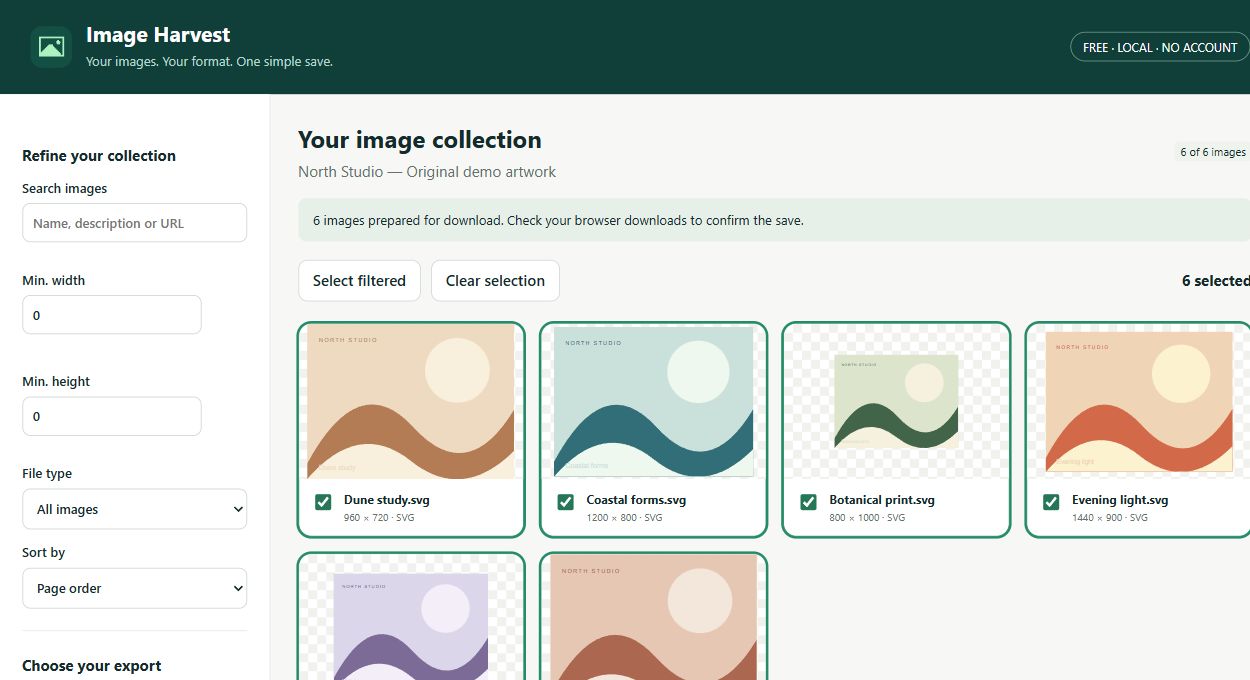
Discover page images, picture sources, backgrounds and video posters with one toolbar click.
Filter by size and type, search descriptions, and select just the images you want.
Keep original files or convert locally to PNG, JPEG or WebP. Download one image or a ZIP.
Open a webpage and click Image Harvest.
Filter the collection and select your images.
Choose a format and download.
No account to create. No image processing server. No analytics script following your work.
Images are retrieved from their original hosts. Conversion and ZIP creation happen on your device, and export access is requested when needed.
Yes. All current features are free, with no account, subscription, ads or paid export tier.
Conversion is local. The extension fetches original images from their hosts, but does not upload images to NK Tools.
Some websites require authentication or block direct downloads. Temporary page-only URLs and unsupported decoding formats may fail. Failures are shown instead of silently skipped.
You get the image URLs exposed by the page. The extension does not invent or recover unavailable originals.
Scans the top document as it exists when you click. It does not crawl additional pages or reveal hidden originals. Protected images, temporary blob URLs and some image formats may not export. Conversion flattens animation. Limits: 2,000 discovered images, 25 MB per image and 180 MB per ZIP.
Every current feature is free. Need a hand or have an idea?
Get help or share feedback ↗